 THE EMPIRE

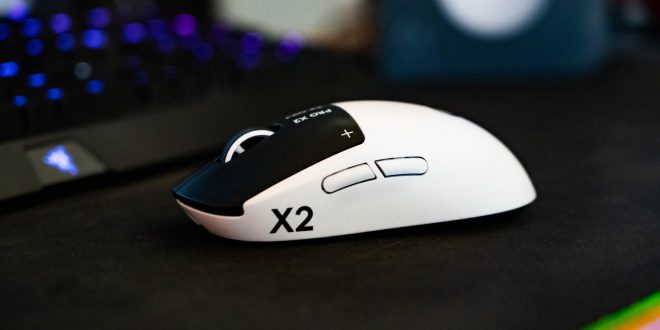
My interest had been tickled in having a more wireless set up lately,
The last few wireless headsets we’ve reviewed, which coincidentally were also from Logitech, got me interested in the practicality of a wireless set up. The old school 1.6 gamer in me had a bit of a bee in my bonnet about wireless never really being as good as wired for responsiveness in competitive game. It recently occurred to me that I am actually not THAT good at videogames anyway. We were pretty good back in the day tho. The distance wireless quality for gaming has come over the years has damn near sealed the gap that used to exist with wireless gaming. Another thing that occurred to me was the level of which gaming on my system buy use time, even really happens that much these days. Between the odd game of Hell Divers with Dave, or a few cheeky rounds of Battlefield 6 these days, I spend a lot more time for productivity. In my head I’ve justified a good set up because of the amount of time I use my computer, from editing our YouTube videos, to doing the back end of the website, shopify and then all the social stuff I do on the computer as well; I wasn’t it to be a comfortable ‘do-all’ set up.
The Pro X2 turned me around within an hour.
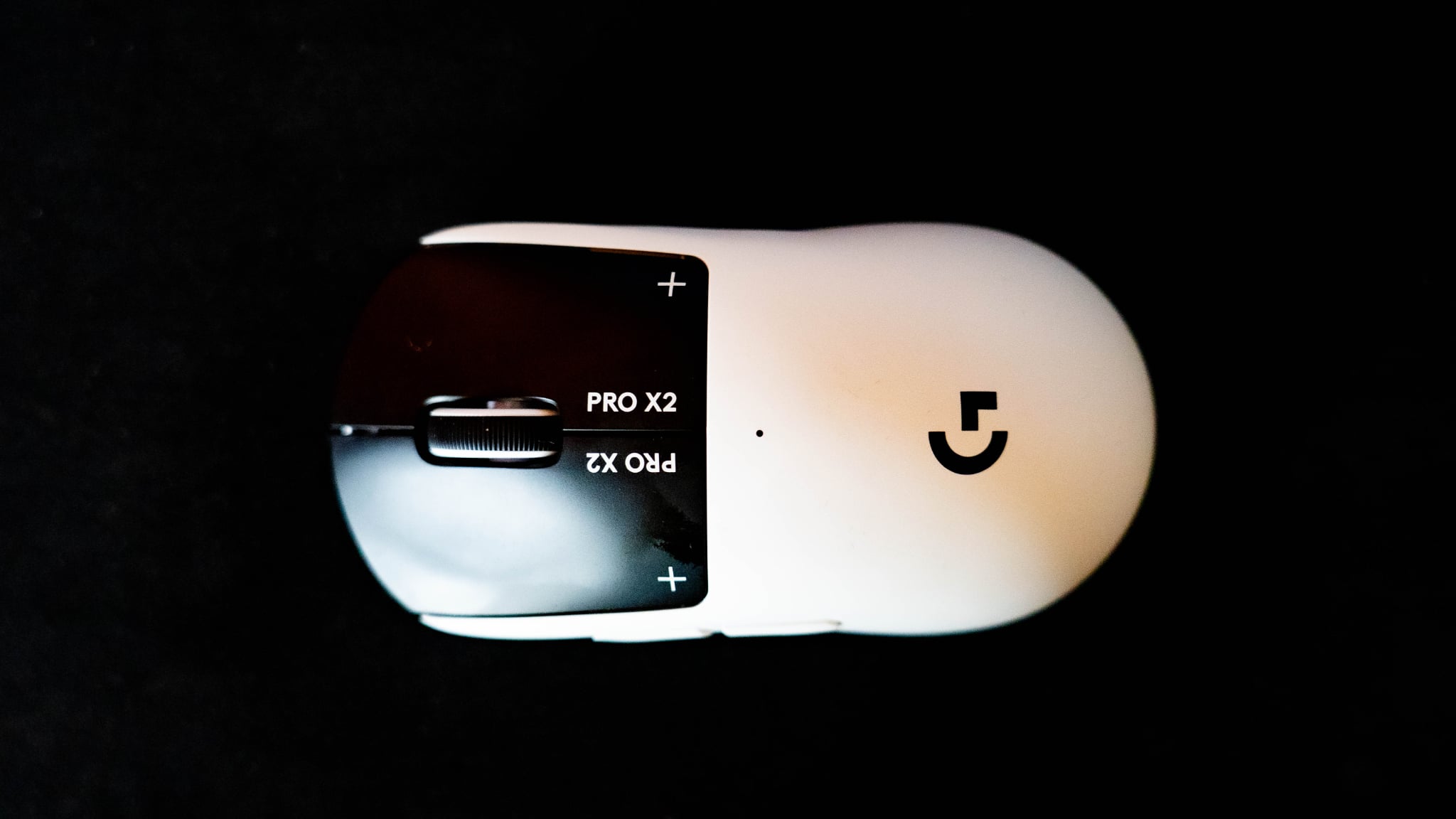
I popped it out of the box and plugged it in for a charge, it felt very light, I almost expected weights. It’s a little smaller than I’m used to, but only by about as much as it takes to notice. I clicked the buttons and I thought they were silent, for streaming or something? so I plugged it in, added it to my G software and after a little configuration with some pretty thoughtful software, we were away.
Haptic Feedback, this is new to me. instead of a traditional switch, they are using sensors to provide a click like feel which is artificial, a lot like the PlayStation 5 triggers. More over, this experience can be tailored to your exact preference. which I’ve had a play with and currently reset to factory to experience where they think the middle ground is. I’ve almost forgotten there isn’t a switch in there and the clicks feel believable and predictable. It’s very satisfying and responsive. There’s a menu in the software where you can toggle on or off the first scroll wheel input, how many times have you switched guns by accident? well, this will stop that. On the thumb side we also find two slim buttons which for productivity for me, I use as back and forth on my browser and wherever else its applicable. they are on the slim side to be out of the way, but never not found without looking. circling back to the weight. I thought this was going to be too light when I first took it out of the box. but the sliders paired with my deskpad provide a great contact for just the right amount of slide that you don’t notice how light it is.
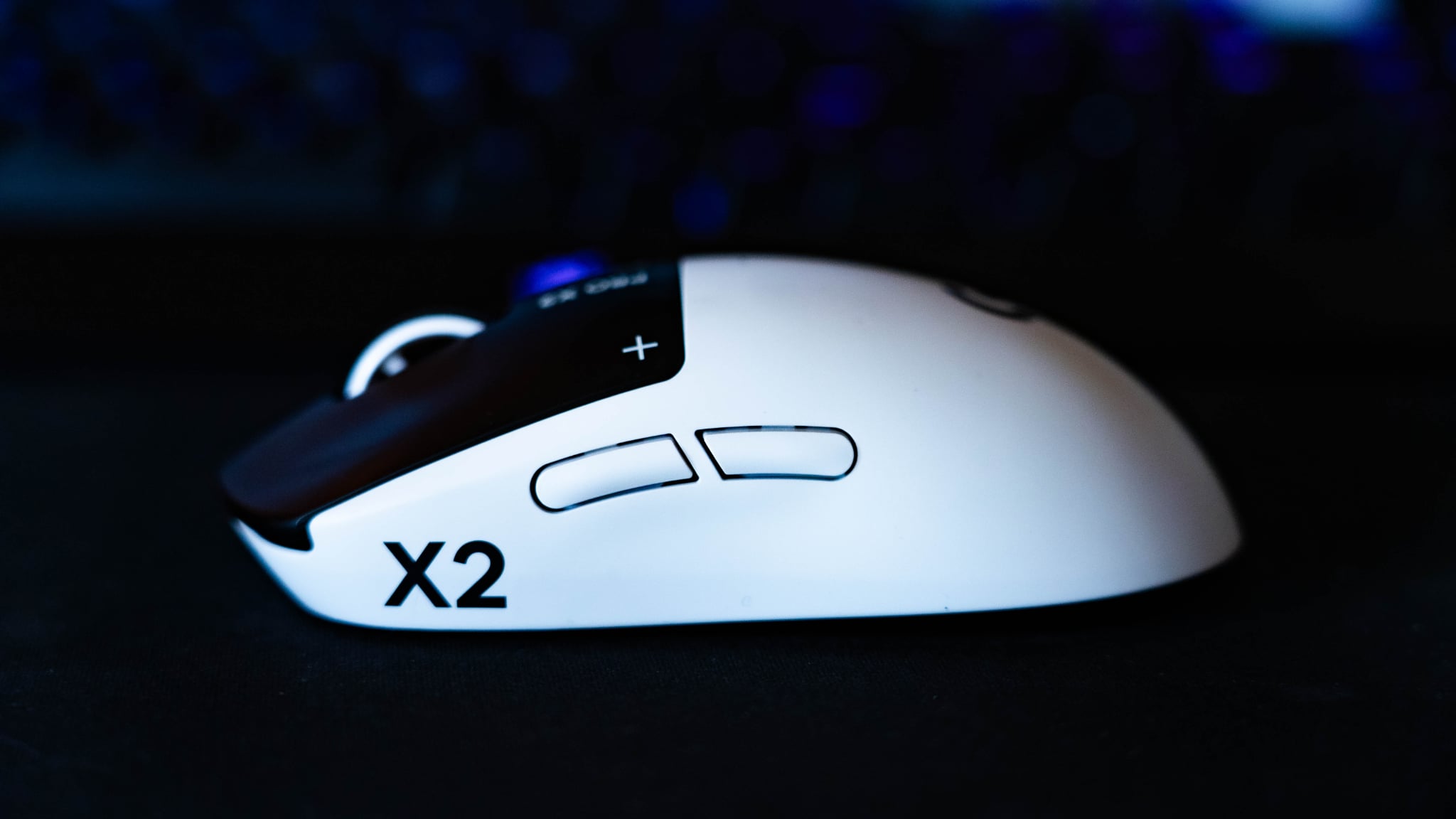
For battery reasons there isn’t an RGB set up, which is a shame as I have my whole system and all my peripherals tuned up with Signal RGB, and this unfortunately doesn’t feature in my mood lighting. The white does stand out well in the set up tho.
A claimed 90 hours of battery life, quickly topped off via USB-C however this is now piquing interest. Logitech also sells conductive ‘POWERPLAY’ mousepads which will mean you no longer need to charge your mouse, just plug in the mouse mat and you’re set. For my set up moving forward I will do the occasional plug in as I prefer a full desk pad as apposed to a mouse mat. The only real gripe I’ve had with it is, occasionally it seems to remind me via a notification similar to a new connected device that the DPI is still 1200.. that’s cool and all but I’m not sure why that pop up keeps happening, at first I thought it was due to inactivity but I’m not sure?
TECH SPECCS
Number of Buttons: 5
Onboard memory: *Advanced features require Logitech G HUB Software available for download at logitechg.com/ghub
Tracking
Sensor: HERO 2
Resolution – Tracking: 100 – 44,000 DPI
Max. acceleration: 88 G*Tested on Logitech G640 Gaming Mouse Pad
Max. speed: 888 IPS*Tested on Logitech G640 Gaming Mouse Pad
Max wired report rate: 1000 Hz (1ms)*Advanced features require Logitech G HUB Software available for download at logitechg.com/ghub
Max LIGHTSPEED report rate: 8000 Hz (0.125 ms)*Advanced features require Logitech G HUB Software available for download at logitechg.com/ghub
Tracking: Zero smoothing/acceleration/filtering
Battery
Battery Life (constant motion): 90 h*Battery life varies with use conditions
I think my take away with this mouse is best explained via how I chose which Harley to get.
There were two contenders, the Lowrider S and the Fatbob. The difference between their two capabilities, exist in a place beyond my skill. As in, I will not find those limitations because they are beyond where I ride(mostly). The point I’m making is this is a finely tuned gamer specific mouse for serious gamers, that probably is so far more capable in the hands of an expert. For you’re weekend warrior gamer, Its great, its very good at what it does and it looks cool on my set up. Only at this stage available to order in Lunar Eclipse, which looks awesome however we will have to wait and see if other colours may come. At $339.95 this is a serious purchase for a serious gamer. Do I think they will be satisfied? that’s a tough call the more you get into a sport, the more you find your particular likes and dislikes. I think it’s a great mouse. It would be a very much luxury purchase and overkill for my personal use case, but It’s pretty effin cool!


Latest posts by Nic (see all)
- Logitech | G Month of Gaming! - April 2, 2026
- CreatorCon 26 | Minivlog - March 19, 2026
- Roots Tattoo Con, Motofest and more! - March 16, 2026
- Roots Tattoo Convention | Giveaway! - March 5, 2026